First Alert by Resideo
- 4.6
- Rating
- 100.00K
- Installs
- Free
- Price

 Analysis by App-foxy
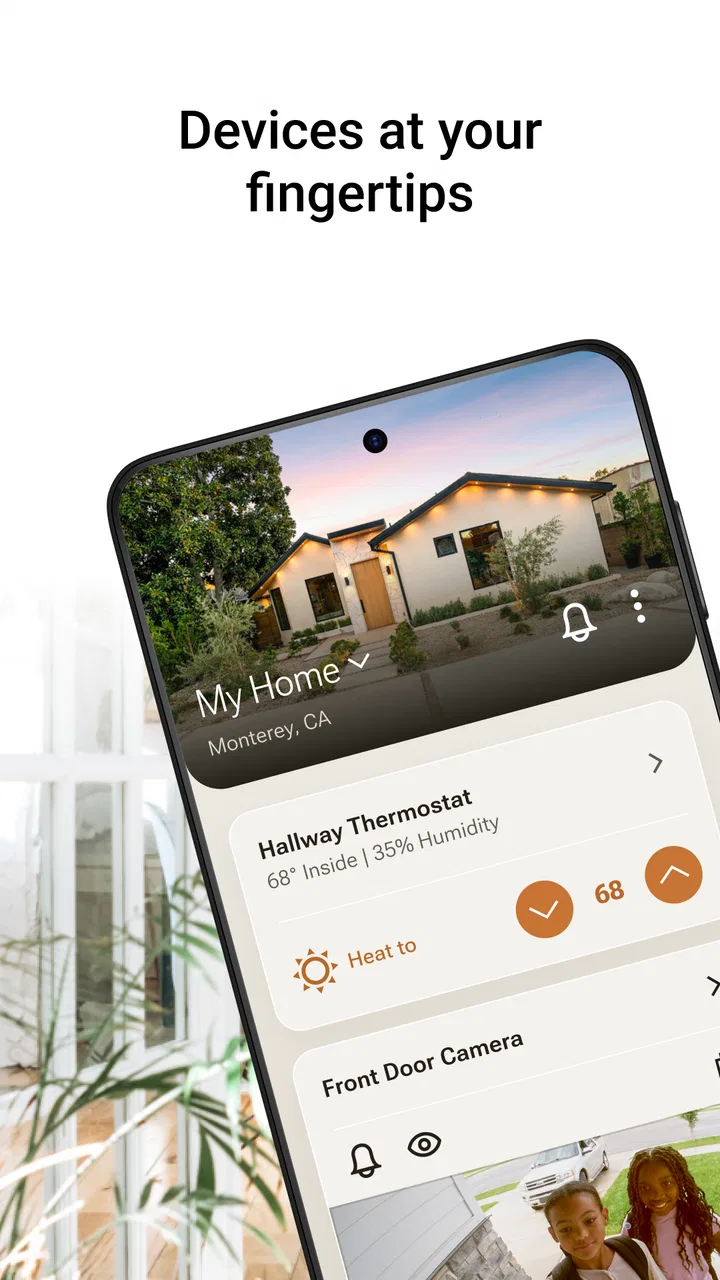
First Alert is the kind of lifestyle app that makes the most sense when your home already includes compatible First Alert or Resideo devices and you want one mobile place to keep an eye on them. I found its appeal less in flashy extras and more in the way it brings comfort, safety, video, and water-leak awareness into the same home routine. That combination can reduce the need to jump between separate device apps, although it also means the quality of the experience depends heavily on your home network and the equipment connected to it.
Developed by Resideo Technologies, Inc., the app is free and aimed at everyone, so it is approachable for households rather than limited to technical users. It sits in the lifestyle category, but its practical role is closer to a control and monitoring companion for a connected home. The current release is version 2.24.2, and it requires iOS or Android 11 or later. I would describe it as most useful for people who want a single overview of household alerts and devices, not as a standalone app that can replace the hardware itself.
How First Alert feels when the network becomes part of the experience
The central strength of First Alert is also its main condition: the app is designed around connected devices. When the connection is stable, the experience is reassuringly simple. You can use your phone as the place where household information comes together, rather than remembering which manufacturer’s app handles a detector, camera, comfort product, or water-related sensor. That unified approach is especially valuable at busy times, when the important question is not which device produced an alert but what deserves attention first.
You May Also Like

 Blood Strike: 2.5 Anniversary
Blood Strike’s Loadouts Turn Every Drop Into a Tactical Gamble
A close look at Blood Strike’s custom loadouts: how fast access to signature weapons reshapes its battle royale rhythm, rewards preparation, and narrows the gap between fights.

 Pandora - Music & Podcasts
Pandora’s Music Is Easy to Start, but Harder to Recover
Pandora’s strength is its low-effort path from a seed to a station. Its weak spot is how much confidence it asks you to place in connection, setup, and quiet recovery.

 8 Ball Pool
 Is Built on Rivalries, Rematches, and Routine
A close look at the rivalries, rematches, shared routines, and unanswered safety questions that turn a quick pool match into a persistent mobile community.

 Samsung Music
’s Quiet Strength Is Playing What You Already Own
Its reach comes less from spectacle than from dependable access to a personal library. That simplicity is both the app’s strongest retention engine and its ceiling.

 AccuWeather: Weather Radar
AccuWeather Review: A Quick, Clear Forecast for Everyday Decisions
For everyday plans, the best forecast is the one you can understand quickly. AccuWeather makes rain timing, radar, and local conditions easy to act on, with a few trade-offs.

 Hill Climb Racing
Why Hill Climb Racing Still Turns Crashes Into One More Run
A tiny car, a bumpy hill and one more upgrade: Hill Climb Racing keeps resurfacing because its simple chaos makes every near-miss feel personal.
More From Our News Desk
View All News


In everyday use, the network is almost invisible when everything is working. You open the app, check the current state, and move on. That sounds ordinary, but it matters in a safety-focused product. A complicated interface would make a quick check feel like an administrative task. First Alert works best when it gives me a clear path from opening the app to understanding whether something needs action.
The trade-off appears when a device is slow to respond or the home connection is unreliable. A smart-home app is not the same as a traditional standalone alarm or local control. It adds convenience and remote awareness, but it also introduces another layer between you and the information you want. I would never treat the phone view as the only way to think about essential safety equipment. The app is a useful companion, while the physical devices and their normal alerts remain important parts of the overall setup.
A realistic example is a family leaving home for a weekend. Before driving away, I would use the app for a quick check of the connected home rather than walking through every room again. Later, if a water-related warning appears, the value is not just seeing a notification; it is having enough context to decide whether to call a neighbor, contact a building manager, or return home. That kind of decision support is where the combined approach feels more useful than a collection of unrelated device screens.
What the combined view changes in daily routines
Many smart-home apps are built around one product family. A camera app focuses on video, a thermostat app focuses on temperature, and a leak sensor app focuses on moisture alerts. First Alert is more interesting because it brings several household concerns into one destination. The benefit is not necessarily that every screen is more advanced than a specialist alternative. The benefit is that the app encourages me to think about the home as one connected system.
That makes it a good fit for people who are gradually adding devices. Instead of creating a separate habit for each new product, you can try to keep your checks within the same app. It is also helpful for households where more than one person needs a shared understanding of what is happening. A family member who does not want to learn several device interfaces may find a unified app less intimidating.
There is a practical limitation, though. The value of the dashboard depends on having compatible products in the first place. If you only need a basic smoke alarm or a single camera, installing a broader smart-home app may feel unnecessary. Likewise, users who already have a well-established setup from another ecosystem may not gain enough from changing their routine. First Alert is strongest when its connected safety and home products are already part of your household plan.
Using it away from home and on a small screen
The mobile context is where the app earns its place. A home device is fixed in one location, but the phone travels with you. That difference turns a local household signal into something you can consider while shopping, commuting, visiting relatives, or staying elsewhere. I find this most useful for situations that do not require constant attention but do deserve a timely response if they occur.
For example, imagine leaving home during a cold or rainy day and later wondering whether everything is fine. A quick check is more convenient than waiting until you return. If a water-related alert arrives while you are away, the app can help you move from uncertainty to a decision. Even when the final action requires someone physically present, early awareness can matter.
On a phone, however, information has to be easy to scan. A mobile dashboard should not force me to reconstruct the state of the home from scattered screens. First Alert’s combined purpose makes prioritization particularly important: an ordinary comfort adjustment and a possible safety issue should not feel equally urgent. When using the app, I recommend checking the most important alert or device status first, then reviewing secondary information. That simple habit prevents a long list of connected items from becoming visual noise.
The app is also more suitable for occasional checks than for replacing every physical interaction. If I am standing beside a device, pressing a local control or looking at its own indicators may be faster. The phone becomes more valuable when I am not near the equipment, when several device types are involved, or when I want a consistent household routine.
Where setup and everyday management can feel demanding
Connected-home convenience usually comes with an initial learning curve, and First Alert is no exception in principle. The app itself may be easy to understand once the home is organized, but the surrounding process still involves devices, accounts, network access, and deciding who in the household should use the app. I would set aside time to name devices clearly and place them in a logical order rather than accepting a confusing collection of default labels.
Clear names are a small but important improvement. “Upstairs hallway” is more useful during a rushed moment than a model number or an unhelpful room label. If several people use the same home setup, consistent naming reduces the chance that someone dismisses an alert simply because they cannot tell where it came from. This is one of the most practical ways to make the app feel calmer without changing any hardware.
I would also avoid treating every notification as equally urgent. A connected home can generate a steady stream of status information, and too many low-value alerts can train people to ignore the phone. The better approach is to decide which events genuinely require action and keep routine checks separate from urgent responses. The app’s usefulness grows when it supports attention rather than competing for it.
When connectivity fails, the right response is preparation
The most important limitation is that a connected experience can be interrupted by a weak home network, a phone connection problem, or a device that is temporarily unavailable. I do not see this as a reason to reject the app, but it does change how I would use it. For safety-related equipment, I would make sure everyone in the home understands the physical device’s normal signals and does not rely solely on a phone notification.
If the app does not immediately show an expected update, my first reaction would be to avoid repeated tapping. I would check whether the phone itself has a working connection, then consider whether the home network or the individual device may be responsible. Reopening the app can help with a temporary display issue, but it should not be treated as proof that the underlying equipment is healthy. A missing or delayed status deserves a more careful look.
Recovery is easier when the household has a simple fallback plan. Keep the names and locations of important devices familiar, make sure other residents know what to do if an alert appears, and do not postpone physical checks when the situation sounds serious. This is a broader smart-home lesson, but it is particularly relevant here because the app combines comfort information with safety and water-related awareness. Convenience should support preparedness, not replace it.
I also prefer to make changes one at a time. If several devices, network settings, and user accounts are changed together, it becomes difficult to identify what caused a problem. A slower, more deliberate approach makes troubleshooting less frustrating. After any change, I would perform a normal check and confirm that the household understands the new arrangement before assuming everything is settled.
Using a connected home app without creating unnecessary digital clutter
Data-conscious use is not only about privacy settings; it is also about reducing the amount of information and attention a household creates unnecessarily. First Alert brings several types of home information into a phone, which can be convenient but can also make the app feel more intrusive if every event becomes a notification. I would begin with the alerts that affect safety or require a real decision, then add less urgent updates only when they prove useful.
That approach has two benefits. It keeps the phone from becoming noisy, and it makes important events easier to recognize. A notification that always deserves action should not be buried among routine status messages. I would review the alert experience after living with it for a while rather than trying to configure everything perfectly on the first day.
Shared access also deserves thought. In a family or shared home, more than one person may need awareness, but not everyone needs to manage every setting. I would keep the household conversation practical: who checks an alert first, who can reach the property, and who should be contacted if nobody is nearby. The app can support that plan, but it cannot make the plan for you.
Another useful habit is to remove old or irrelevant devices from your mental checklist when the home changes. A dashboard is only helpful if it reflects the current household. If a room is renamed, a product is moved, or a device is no longer part of daily life, updating the organization prevents confusion later. This is a small maintenance task, yet it can make a significant difference during a stressful notification.
Who should choose it, and who may be happier elsewhere?
I would recommend First Alert to someone building a connected home around First Alert or Resideo equipment, especially if comfort, video, safety, and water concerns all matter. It is also a sensible choice for households that want a single mobile routine instead of several specialist apps. The free price removes an obvious barrier to trying it, and the Everyone rating makes it suitable for a broad household audience.
The app is less compelling for someone who wants only a basic, non-connected safety product. It is also not the obvious choice for a person whose home is already organized around a different smart-home ecosystem and who has no reason to consolidate. Specialist apps may be better when a user wants deep control over one product type, while First Alert’s advantage is the wider household view.
For older relatives or less technical family members, I would judge the app by the whole setup rather than the phone screen alone. A clear device naming scheme and a simple response plan matter as much as the interface. If nobody in the household is willing to maintain connected equipment or troubleshoot occasional network issues, a simpler arrangement may be more appropriate.
Its audience is reflected in its growing presence: the app has passed one hundred thousand installs and holds a 4.5 average from around one thousand six hundred ratings, with more than two hundred reviews. Those figures suggest a healthy level of interest, but they do not remove the need to match the app to your actual devices and habits. A well-rated app can still be the wrong fit if your home does not need its combined approach.
My connectivity verdict
After using First Alert as a connected-home companion, I see its main achievement as organizational rather than spectacular. It gives household information a common place and makes remote awareness more practical, particularly when several types of connected equipment are involved. The experience is at its best when the network is dependable, device names are clear, and notifications are chosen with care.
My honest reservation is that the app cannot make connectivity disappear. A phone dashboard is convenient, but it introduces dependence on a working chain between the app, the home network, and the connected hardware. Anyone choosing it should understand that relationship and keep physical safety habits in place. That is not a flaw unique to this product, but it is an important part of judging it fairly.
First Alert is a strong fit for a connected First Alert household that wants one practical mobile view, not a universal replacement for every smart-home platform. I would recommend trying it when consolidation and remote awareness are the priorities. I would skip it when the home needs only one simple standalone device or when a different ecosystem already handles the household more effectively. For the right setup, its greatest benefit is quiet confidence: a quick way to understand what is happening at home and decide what deserves attention next.
FAQs for First Alert by Resideo
01What is First Alert by Resideo and what does it do?
First Alert by Resideo is a comprehensive home safety app designed to work with a variety of smart home devices. It monitors smoke, carbon monoxide, and other potential hazards in your home, providing real-time alerts to your smartphone. This app ensures you stay informed and can act quickly in case of emergencies.
02Is the First Alert app compatible with all smart home systems?
The First Alert app is primarily designed to integrate with Resideo's range of smart home products. While it may work with other systems, compatibility might vary. It's best to check the app's compatibility with your specific devices or consult Resideo's customer support for detailed guidance.
03How user-friendly is the First Alert app for beginners?
First Alert by Resideo is designed with user-friendliness in mind, featuring an intuitive interface that makes setup and navigation straightforward. Even beginners can easily configure alerts and monitor their home environment. The app also provides helpful tutorials and FAQs to guide new users through the process.
04What are the main features of the First Alert app?
The app offers real-time alerts for smoke and carbon monoxide detection, integration with a range of Resideo devices, and remote monitoring capabilities. Users can customize alert settings and receive notifications directly on their smartphones, enhancing home safety and providing peace of mind whether at home or away.
05Does the First Alert app require a subscription fee?
The First Alert app itself is free to download; however, some features may require compatible smart devices which can involve additional costs. Check the app store listing and Resideo's official website for specific pricing details related to any hardware or premium features that might be available.
Pros
- User-friendly interface for quick navigation.
- Real-time alerts for immediate action.
- Customizable alert settings.
- Comprehensive safety tips included.
- Easy integration with smart devices.
Cons
- Limited features in free version.
- Requires stable internet connection.
- Occasional false alerts reported.
- Some users find setup process complex.
- Requires frequent app updates.

First Alert by Resideo
Gallery